
iOS 26 Public Beta delayed – release on July 23?
The iOS 26 public beta is delayed, but a concrete launch date of July 23 is now being discussed. All...

iPadOS is Apple's operating system for the iPad and has been a dedicated variant alongside iOS since September 2019 – with features tailored to the larger screen and productive workflows. These include Stage Manager, freely placeable and overlapping app windows, full external display support, a desktop-like Dock, deep Apple Pencil integration for notes, markup and drawing, connectivity with Magic Keyboard and Magic Trackpad, full mouse and trackpad control, and Continuity features such as Sidecar and Universal Control. iPadOS also brings the central pillars of iOS to the tablet – including Apple Intelligence, the Liquid Glass design, Live Activities, privacy features and deep integration with iCloud, iPhone, Mac, Apple Watch, Apple TV and Vision Pro.
This tag overview on apfelpatient.de accompanies every development around iPadOS: beta cycles for every new major version, detailed coverage of features such as Stage Manager and multitasking, tips and tricks for Apple Pencil, Magic Keyboard, external display use and hidden settings, background on security updates and bug fixes, design analyses of new interfaces, comparisons with macOS and Android, and all rumors and reports about upcoming iPadOS versions.
Anyone wanting to use iPadOS productively, get the most out of their iPad or follow the evolution of the tablet platform will find their reading desk right here.
The iOS 26 public beta is delayed, but a concrete launch date of July 23 is now being discussed. All...
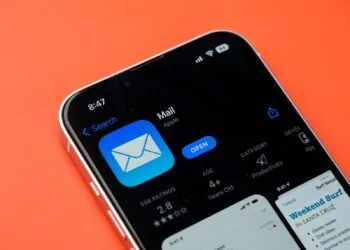
Use the Apple Mail app cleverly on iOS 18: These 8 tips bring clarity, speed, and smart AI features to your inbox.

The third beta of iOS 18.6 is here: Apple simplifies app access outside of the App Store. All the important information in...

With iOS 26 Beta 3, Apple is entering the next phase of testing. Find out what's known so far &...

Apple is contradicting the EU Commission and is taking legal action against the fine. All the background and consequences for users and developers.
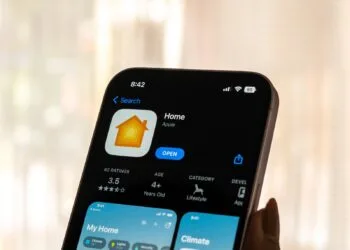
Apple is planning an automatic HomeKit upgrade. Read here what this means for your devices and how to prepare.

Apple is testing iOS 18.6: Users in the EU can look forward to more freedom when installing apps and fewer restrictions.

Apple is delivering new features late or not at all in the EU. Here's why this is happening and what it means...
iOS 26 brings new features to Apple Music: AutoMix, lyrics translation, widgets, and more. Find out what's really changing here.
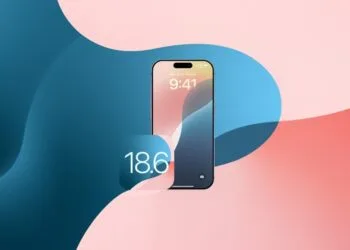
iOS 18.6 makes it easier to use third-party apps and marketplaces on the web. Apple is responding to EU regulations. All details here.
You are currently viewing a placeholder content from Facebook. To access the actual content, click the button below. Please note that doing so will share data with third-party providers.
More informationYou are currently viewing a placeholder content from Instagram. To access the actual content, click the button below. Please note that doing so will share data with third-party providers.
More informationYou are currently viewing a placeholder content from reCAPTCHA. To access the actual content, click the button below. Please note that doing so will share data with third-party providers.
More informationYou are currently viewing a placeholder content from X. To access the actual content, click the button below. Please note that doing so will share data with third-party providers.
More information